
Jam, make & mix live music!
DigiJam is a jam pad, DJ app and tutor for MIDI keyboards and DJ controllers, made for beginners getting into making and mixing music: house, hip hop, trance, drum & bass, or whatever you're into.
Coming free to the Mac App Store · Apple silicon, macOS 13+
Everything for your first sets
Plug in a keyboard or a DJ controller and play. Everything on screen also works with the mouse, so you can start before you own any gear.
Jam pad
Supersaw, pluck, bass and reese synths, punchy 808 and 909-style drums, an arpeggiator and backing beats, all low-latency.
Loops
Eight loop slots that record on the bar. Record your playing, or drop in an audio loop or four bars of a song and crop it on its waveform. Loops follow the tempo without changing pitch.
Decks and mixer
Two decks you can scratch and bend like records, with hot cues, loops, sync, EQ, filter, crossfader, a headphone cue, effects and sampler pads.
Cues that land on the beat
DigiJam finds the first beat, the breakdowns and the drops in your songs, and shows a close-up waveform while you line up the next track.
Lessons
Step-by-step lessons, from your first chords to beatmatching and your first mix. The control to press next lights up on screen.
Visualizer
Oscilloscope, spectrum bars, radial, phosphor and tunnel visuals that move with the music, beside the decks or full screen on a second display.
Works with your gear
DigiJam is built around two controllers and is learning more. If yours is in the "help test it" list, we'd love to hear how it goes.
Tested
Tested
Tested
Help test it
Help test it
Help test it
Own one of the controllers marked "Help test it"? Get an early build.
See it
Click any picture to see it full size.
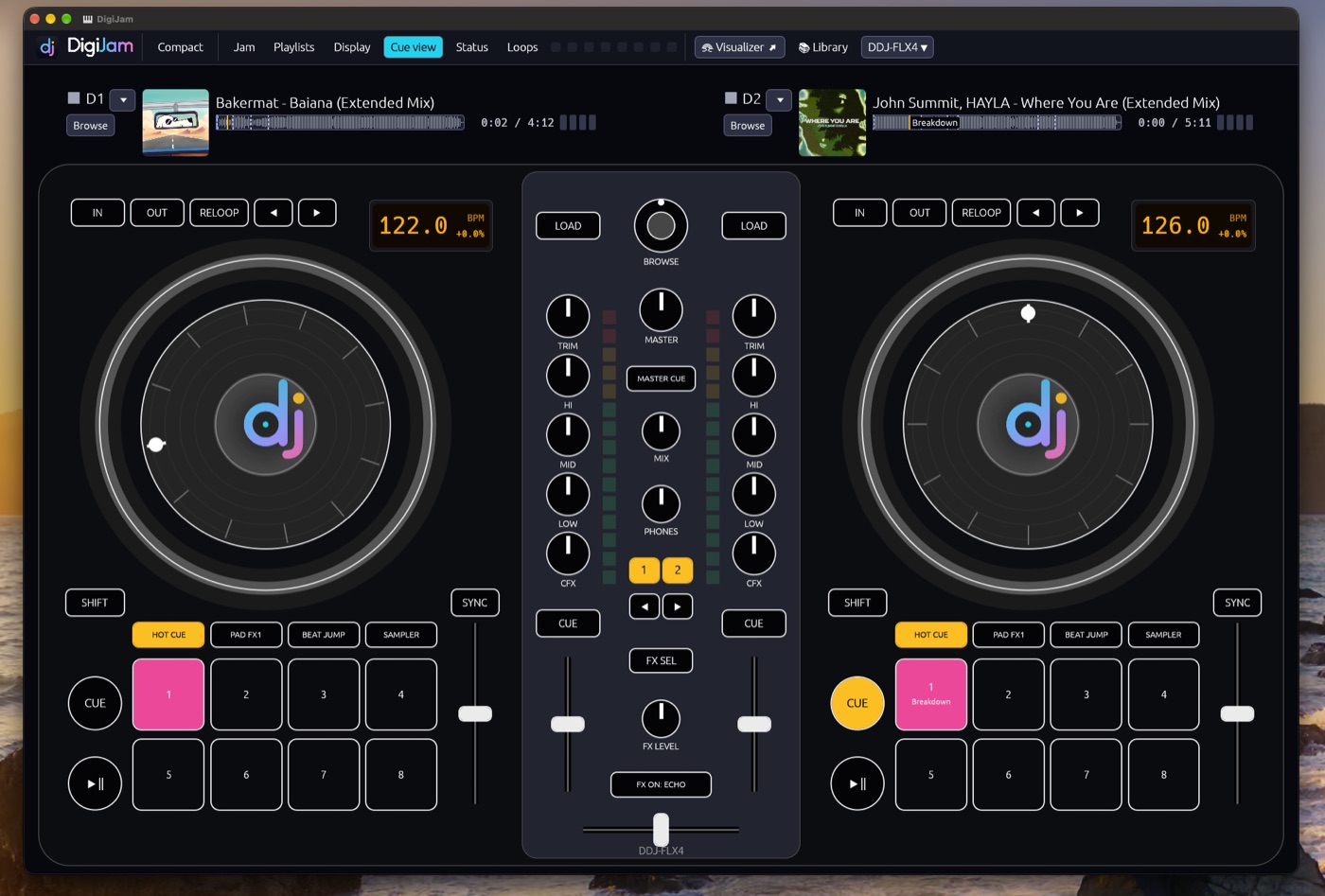
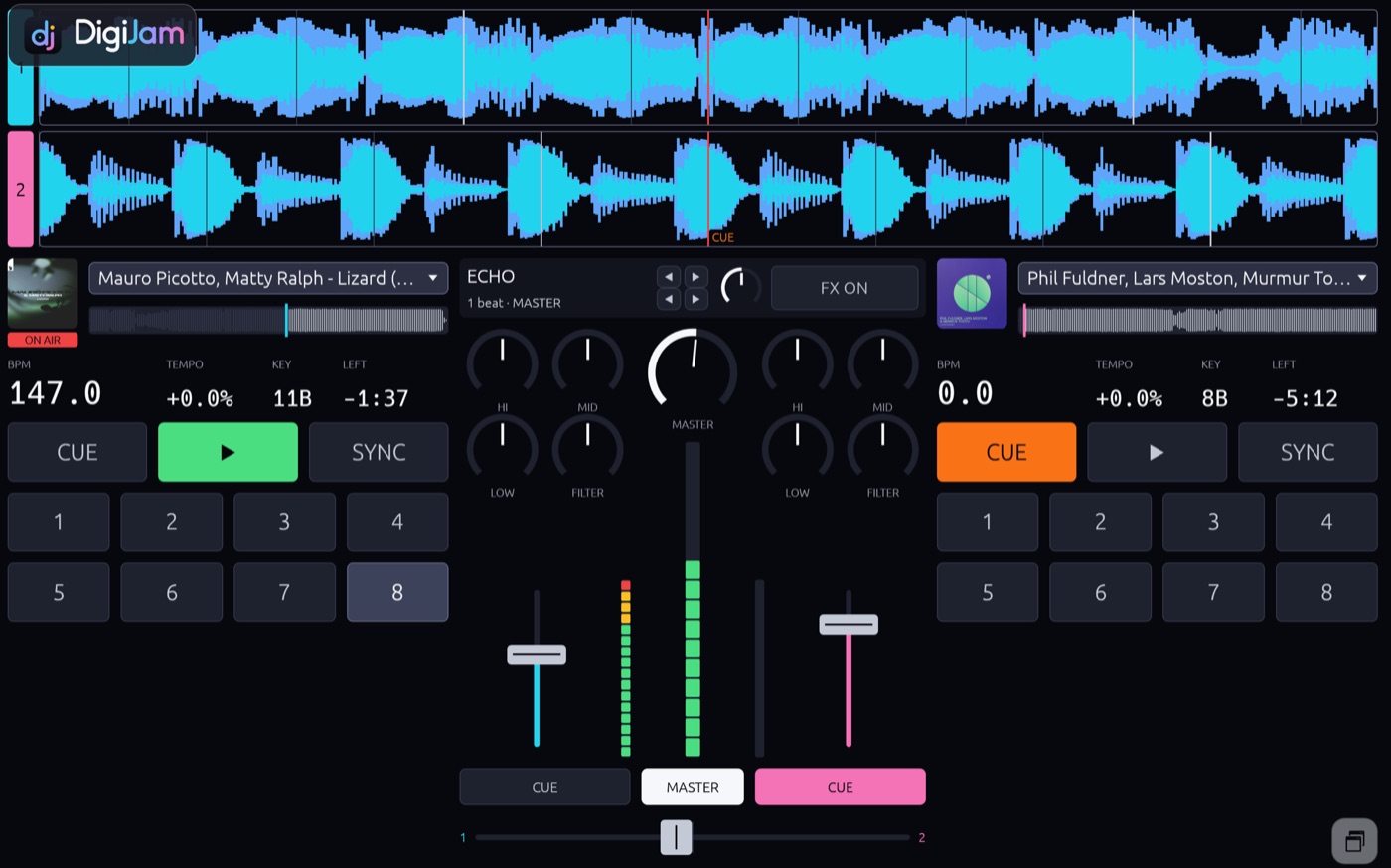
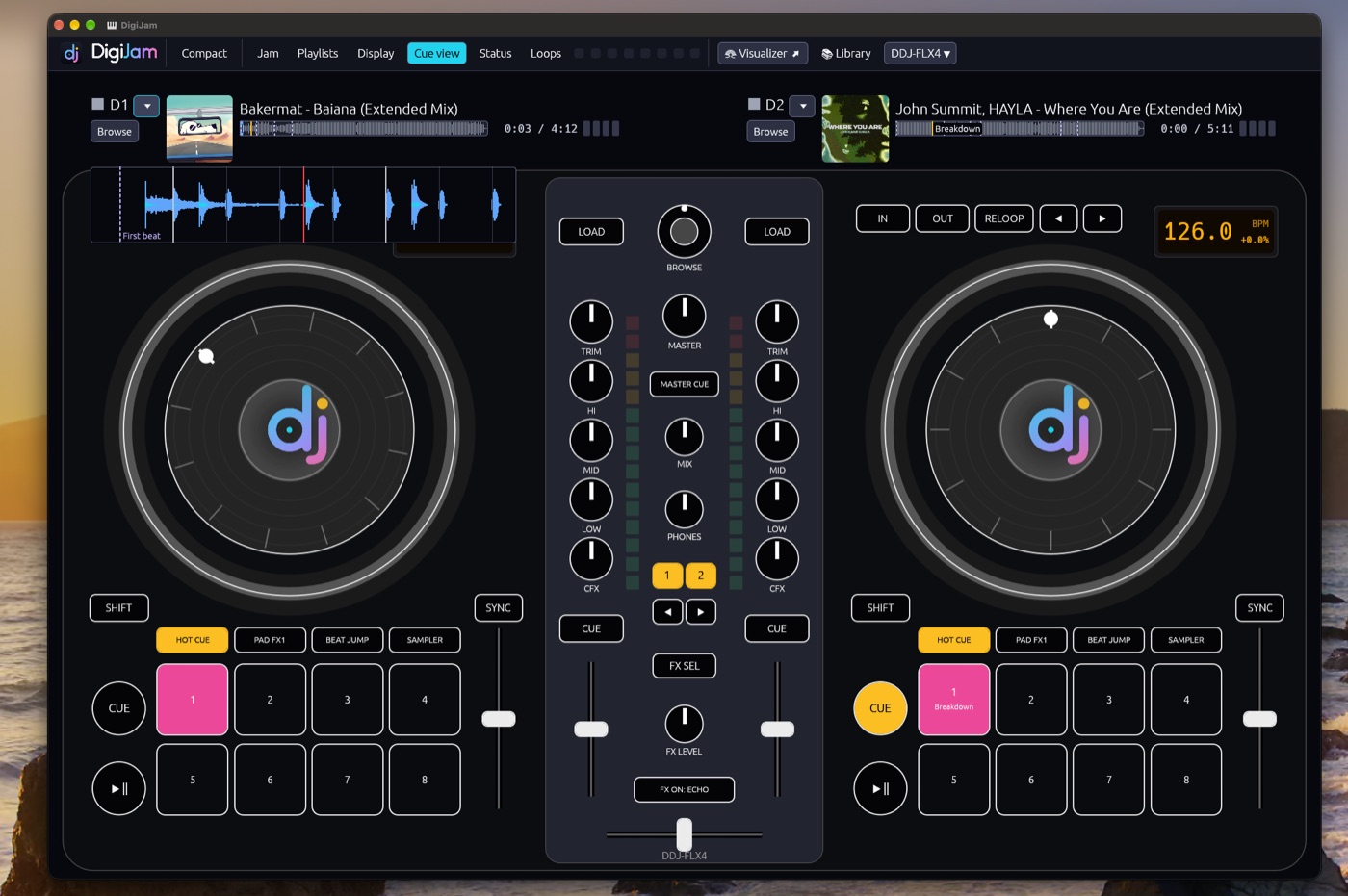
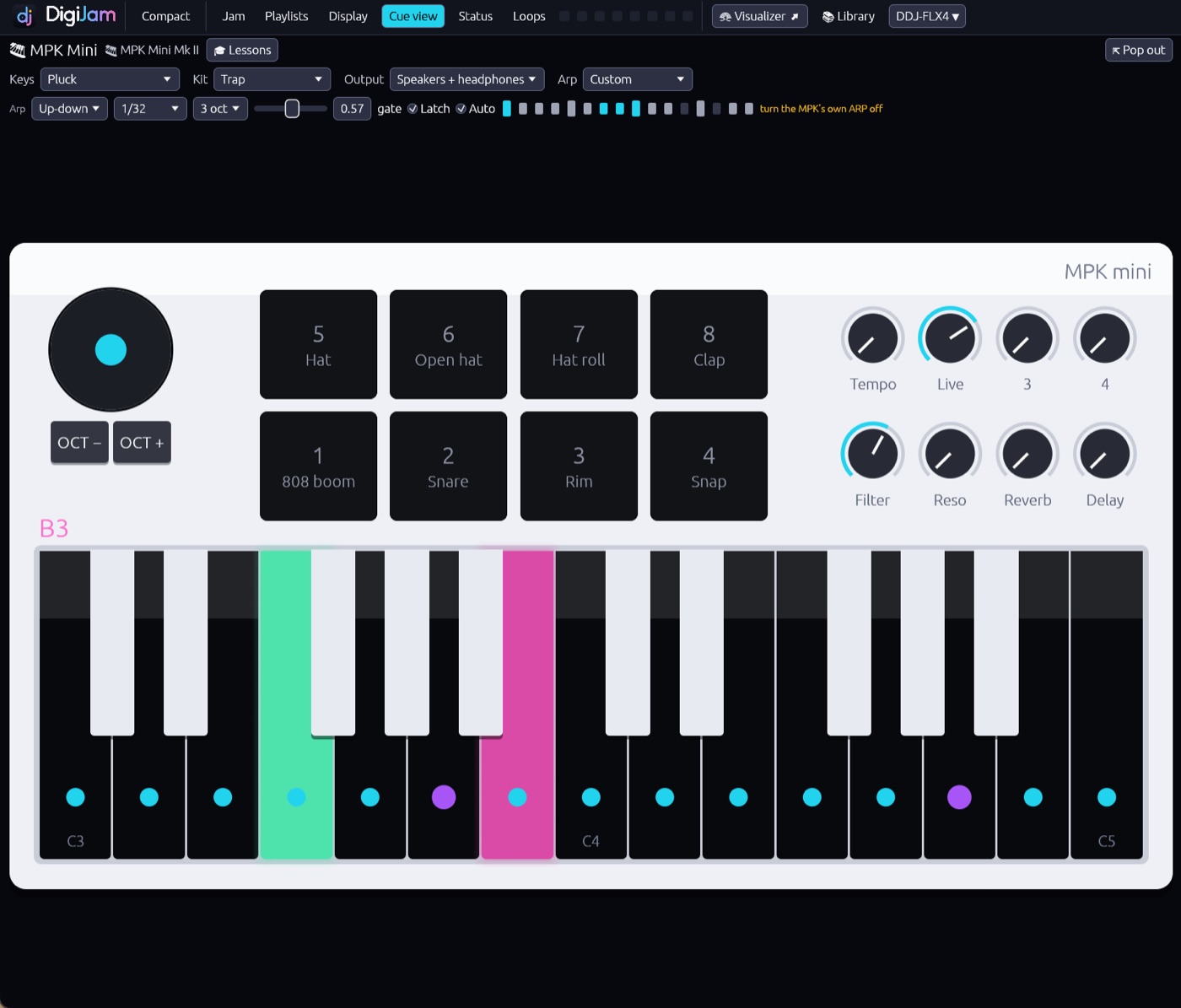
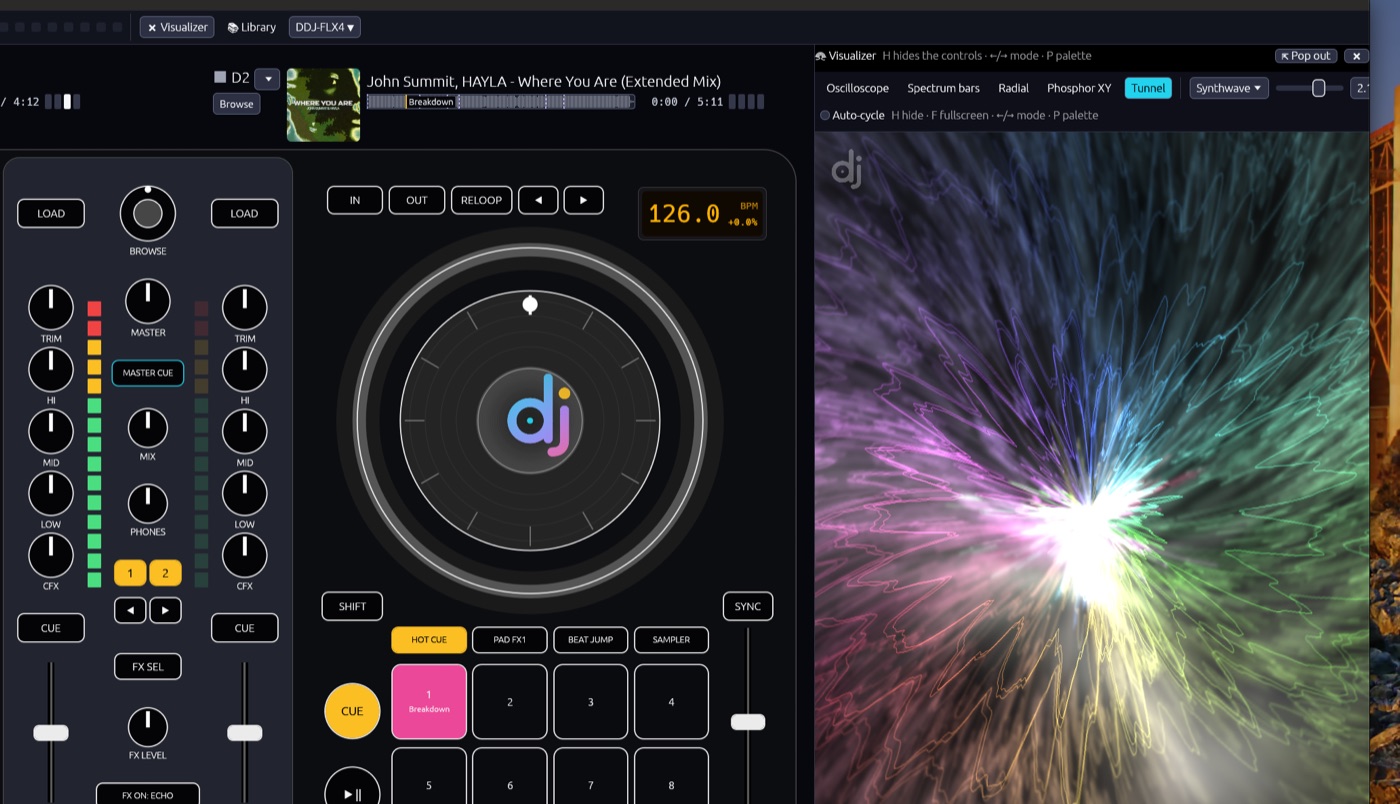
Not shown: wave and MIDI loop editing, deck binding, playlist and library functions.